RevenueCat vs Stripe: in-app purchases, web billing and fees compared
The short answer
RevenueCat and Stripe do different jobs, and many apps use both. Stripe charges cards on your website. RevenueCat manages in-app purchases that Apple and Google charge, and can sell on the web through Stripe so a web purchase unlocks access in the app. Inside an iOS app, digital features must be sold with in-app purchase, though US storefront apps may link to a web checkout. RevenueDot is the open-source option for RevenueCat's job.
You sell subscriptions inside iOS and Android apps and want a mature hosted backend with a SOC 2 report.
You want App Store, Google Play and web purchases to unlock one entitlement.
You also sell through Paddle or the Samsung Galaxy Store.
Choose Stripe if
You sell a web app or SaaS, where no app store takes part in the payment.
You sell physical goods or services used outside the app, which Apple says must not use in-app purchase.
You already run your own backend for accounts and access, and only need payments.
Choose RevenueDot if
You want RevenueCat's job done by an open-source server that works with the RevenueCat SDK.
You want web checkout on your own Stripe account to unlock the same entitlement as the stores.
You want it free until your app makes $10K a month, then capped at $999 a month.
Side by side
RevenueCat vs Stripe vs RevenueDot: feature by feature
Each row links its sources. Open Evidence under a row to see the dated screenshot of the vendor page it cites, and the real RevenueDot screen for the RevenueDot cell.
Topic
RevenueCat
Stripe
RevenueDot
Sources
What it is
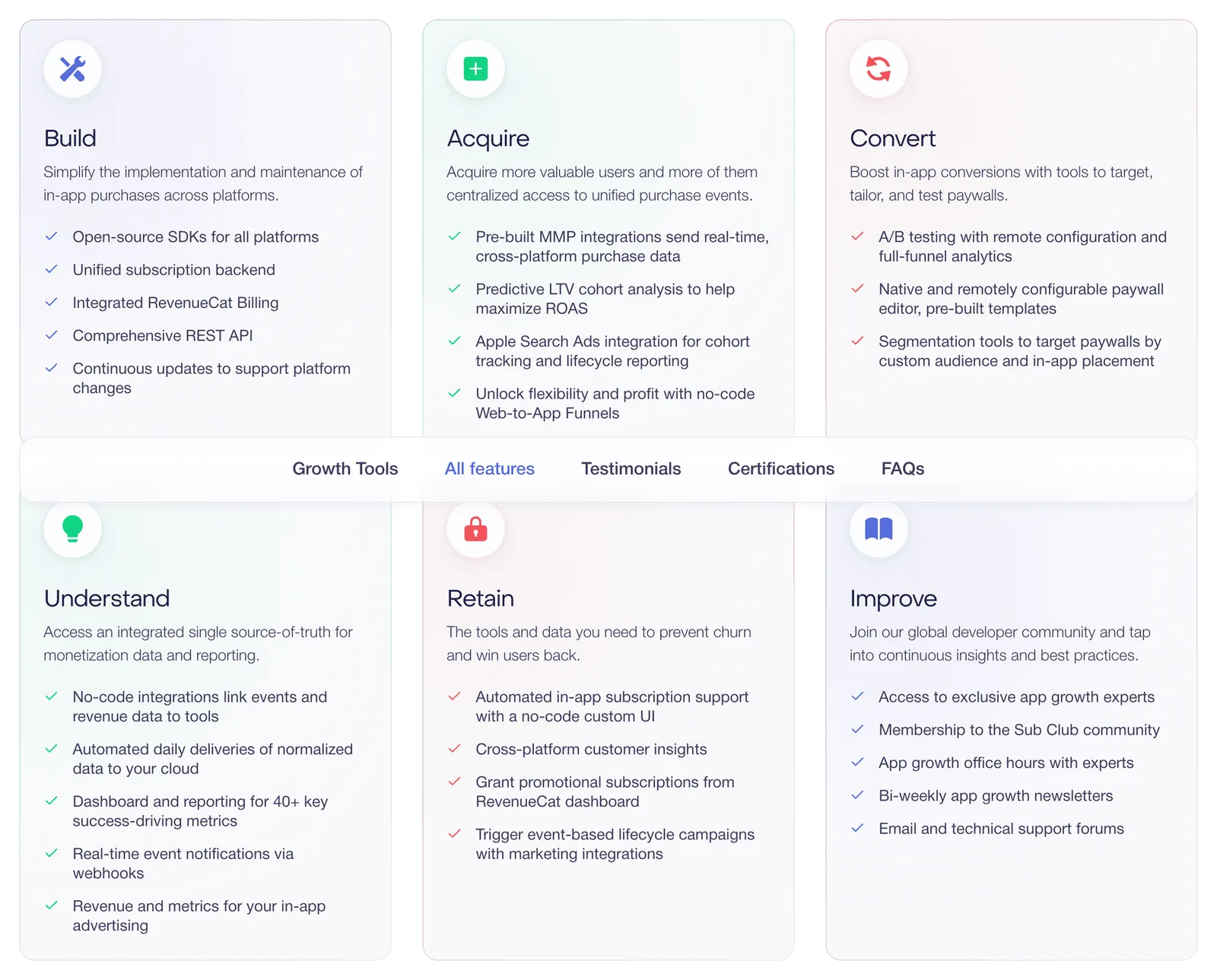
A hosted backend for in-app purchases and subscriptions on the App Store, Google Play and the web
A payment processor and billing system for cards and other payment methods
An open-source backend for in-app purchases and subscriptions that works with the RevenueCat SDK
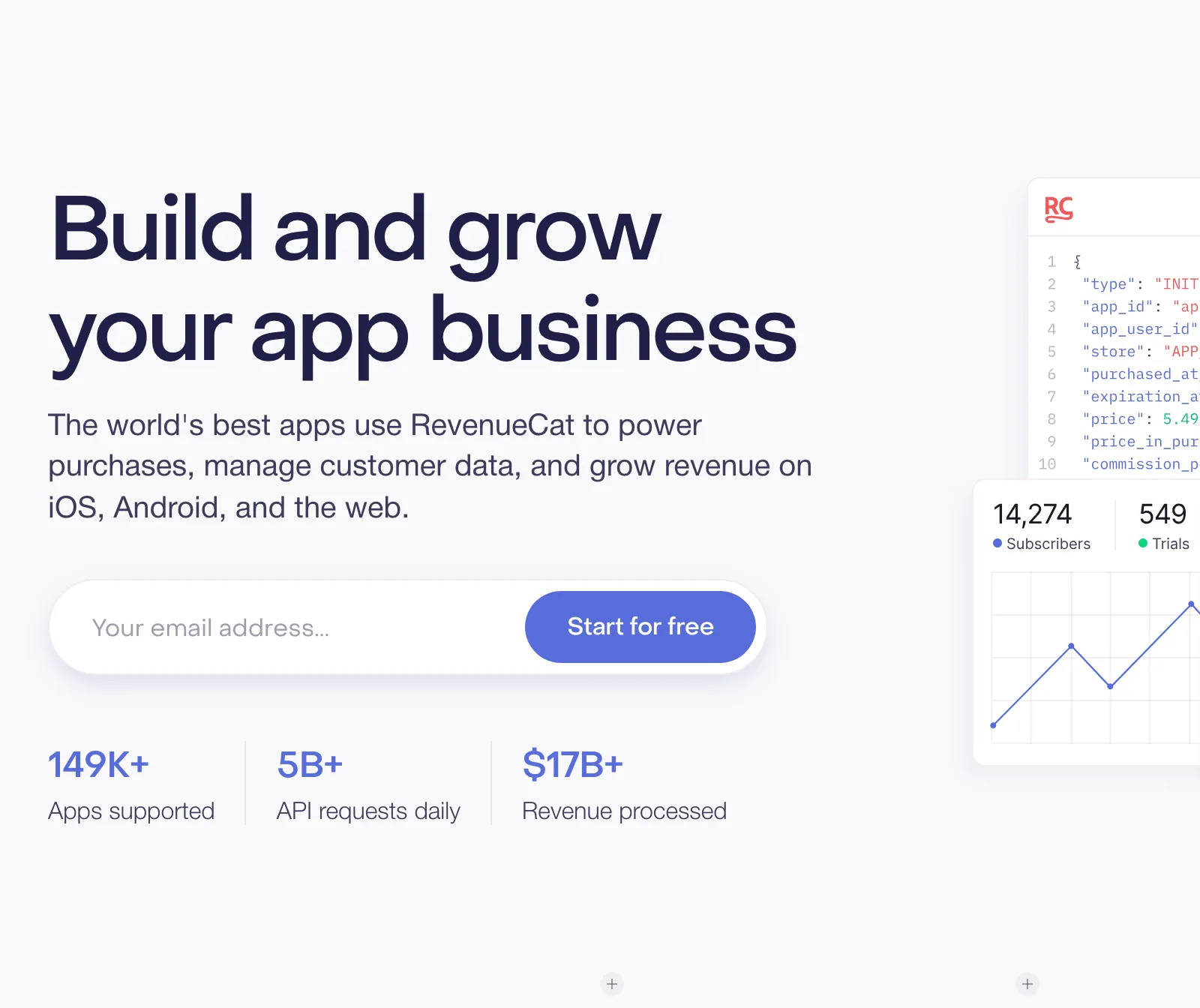
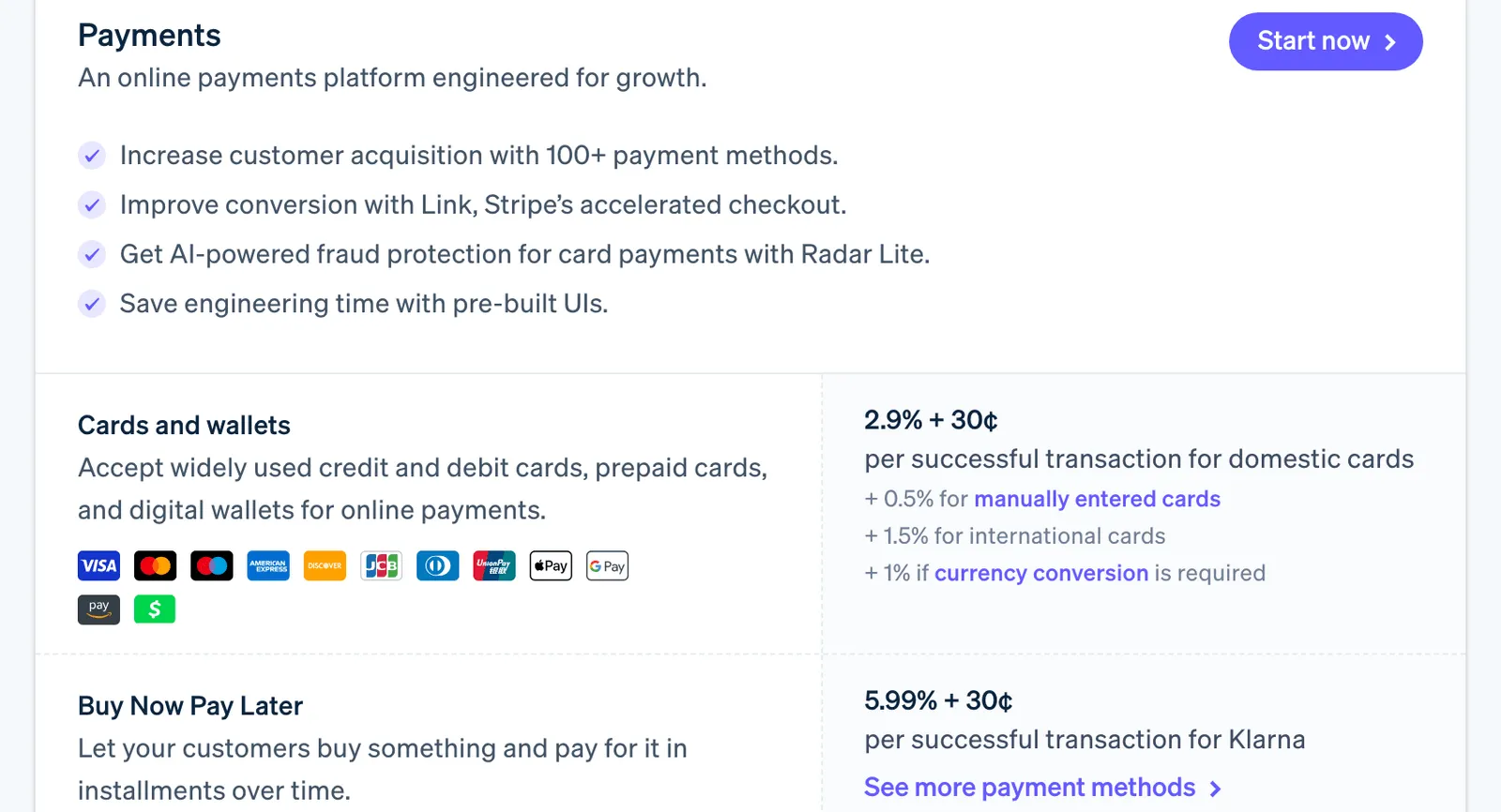
RevenueCat docs page, captured 4 Oct 2026: Web Billing with Stripe and Paddle. Source ↗ · Full page ↗Stripe pricing page, captured 4 Oct 2026: 2.9% + 30¢ per successful US card charge. Source ↗ · Full page ↗
Digital features inside an iOS or Android app
Yes, through each store's in-app purchase system
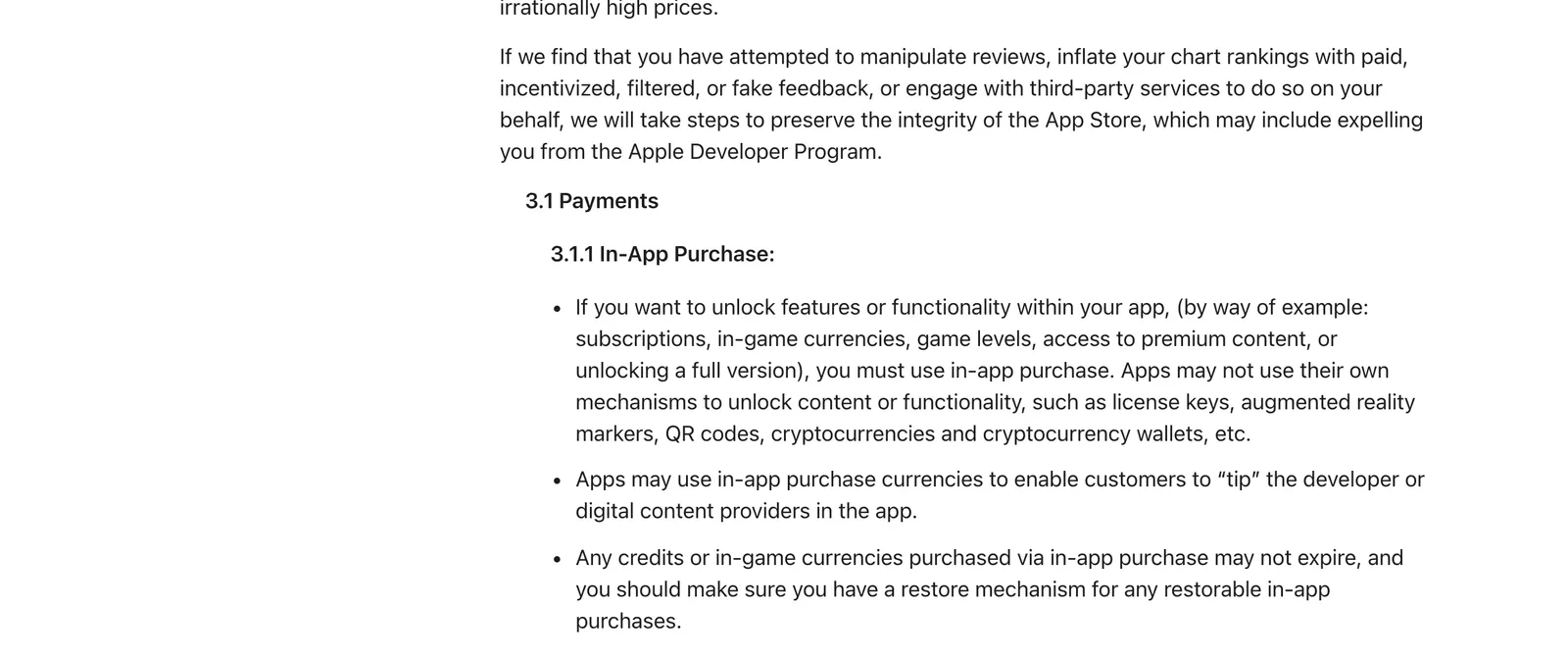
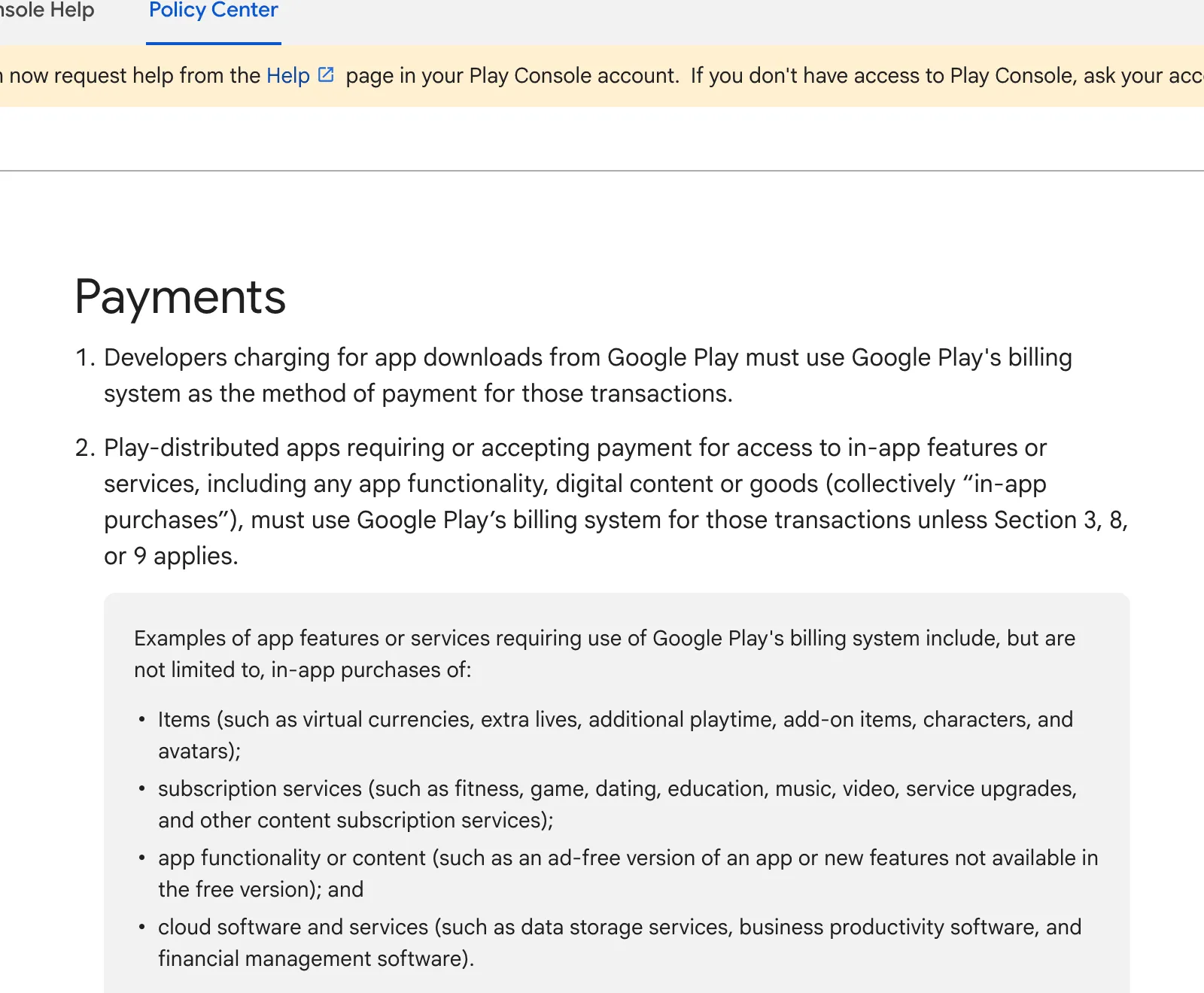
Not as the in-app payment. Apple requires in-app purchase to unlock features; US storefront apps may link to a web checkout
Evidence2 screenshotsApple page /app-store/review/guidelines/ · Google page /googleplay/android-developer/answer/9858738
Apple page /app-store/review/guidelines/, captured 4 Oct 2026: Guideline 3.1.1 requires in-app purchase for digital unlocks. Source ↗ · Full page ↗Google page /googleplay/android-developer/answer/9858738, captured 4 Oct 2026: Digital purchases must use Google Play's billing system. Source ↗ · Full page ↗
Web checkout
Web Billing, Stripe Billing or Paddle, with web purchase links, web paywalls and funnels
Checkout, Billing, a customer portal and invoices
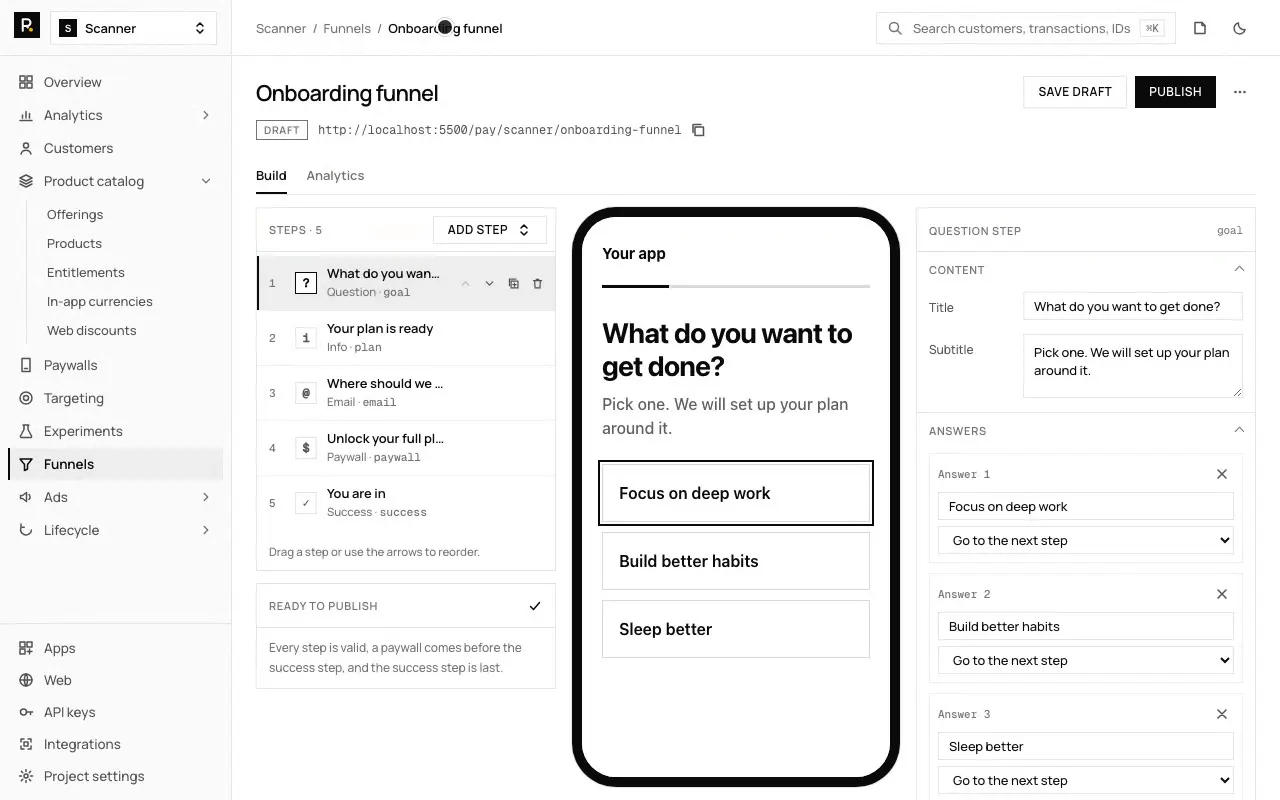
Hosted Stripe checkout, purchase links, funnels, web discounts and custom pay domains, on your own Stripe account
Evidence3 screenshotsRevenueCat docs page · Stripe docs page · RevenueDot: web checkout and purchase links
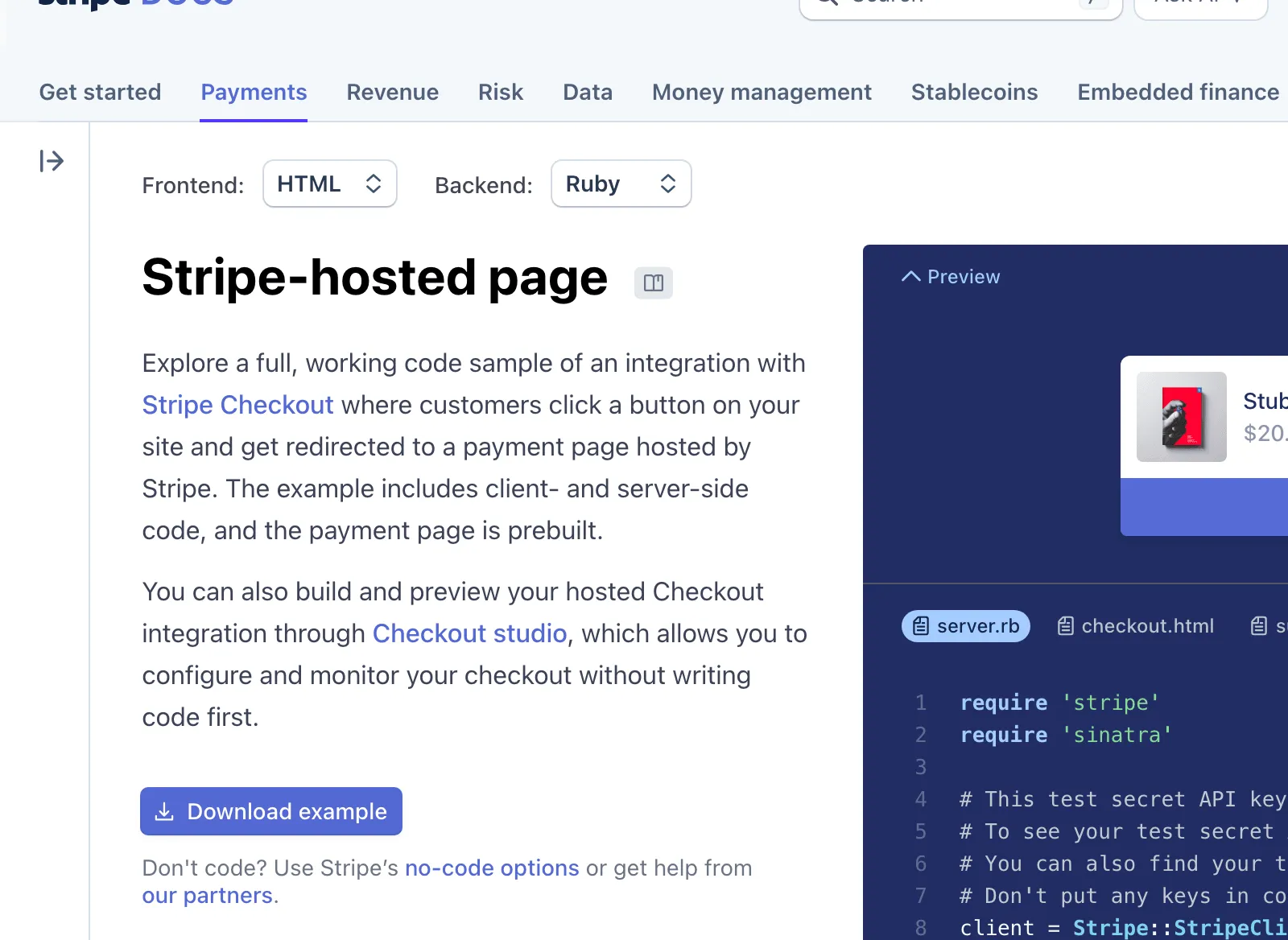
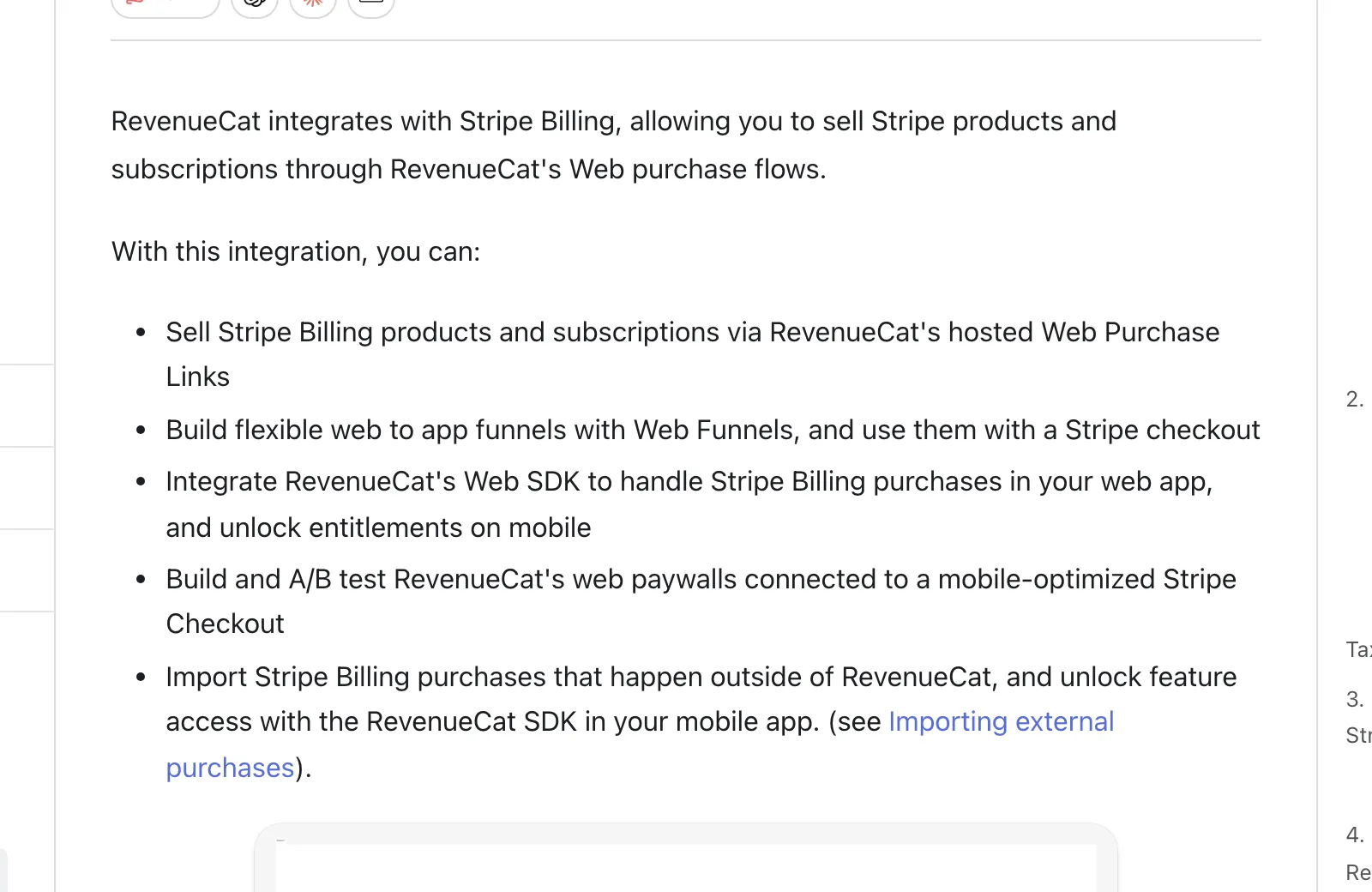
RevenueCat docs page, captured 4 Oct 2026: Web Billing with Stripe and Paddle. Source ↗ · Full page ↗Stripe docs page, captured 4 Oct 2026: Checkout is a Stripe-hosted payment page. Source ↗ · Full page ↗
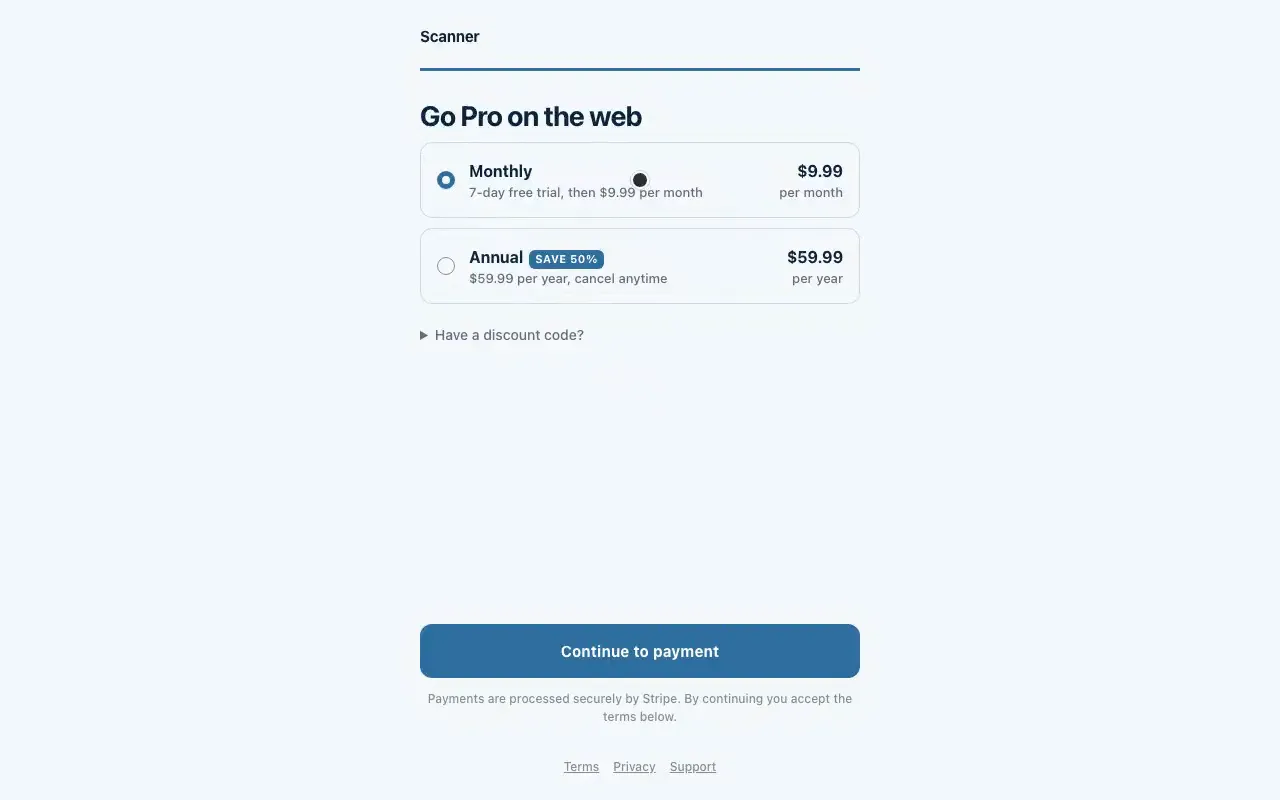
RevenueDot: Web checkout and purchase links
The hosted purchase page RevenueDot serves for a purchase link, captured from the running app with example products.
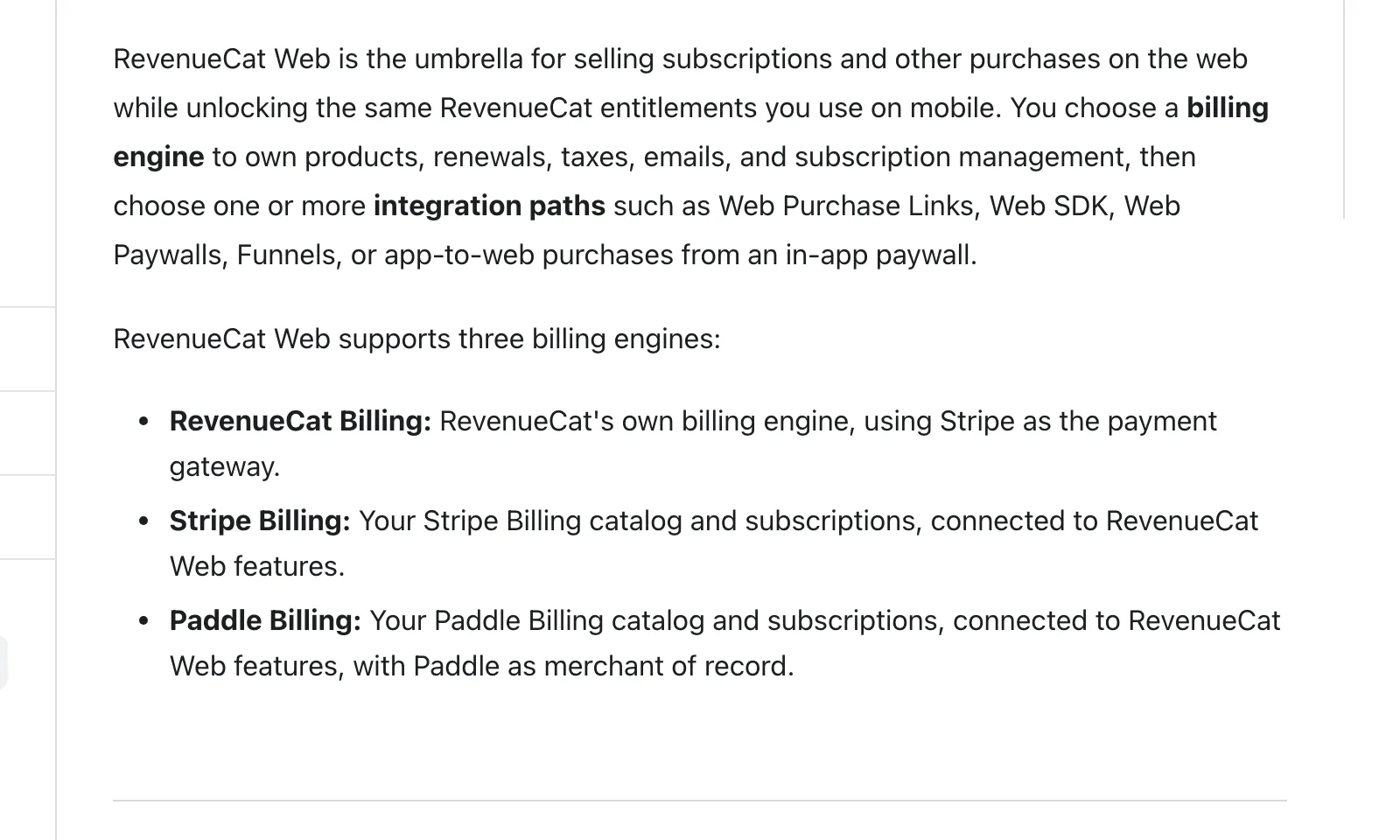
RevenueCat docs page, captured 4 Oct 2026: Stripe Billing purchases unlock entitlements in the mobile app. Source ↗ · Full page ↗Stripe docs page, captured 4 Oct 2026: Checkout is a Stripe-hosted payment page. Source ↗ · Full page ↗
RevenueDot: Redemption links
The redemption page RevenueDot serves after a web purchase, captured from the running app with example products.
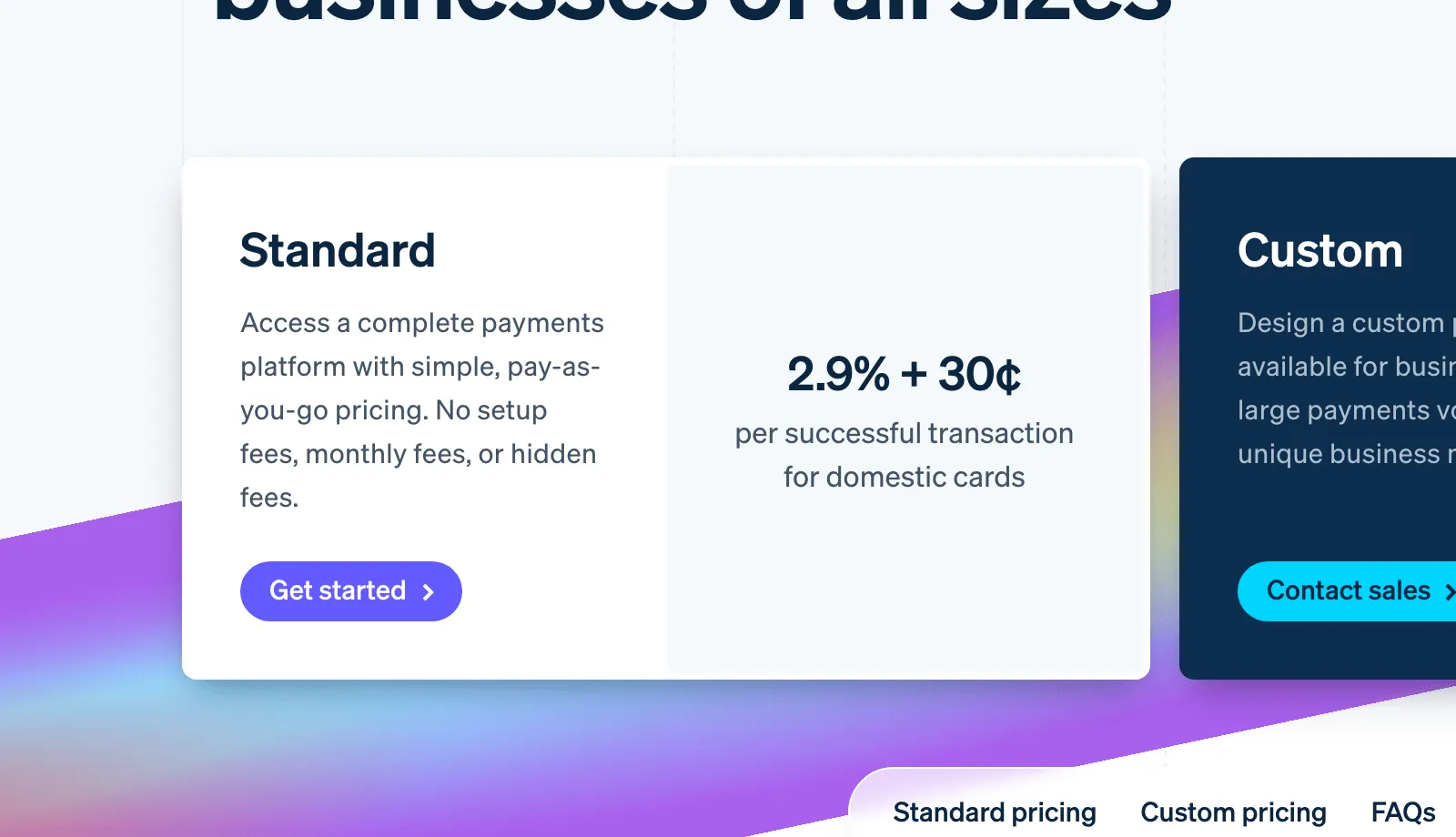
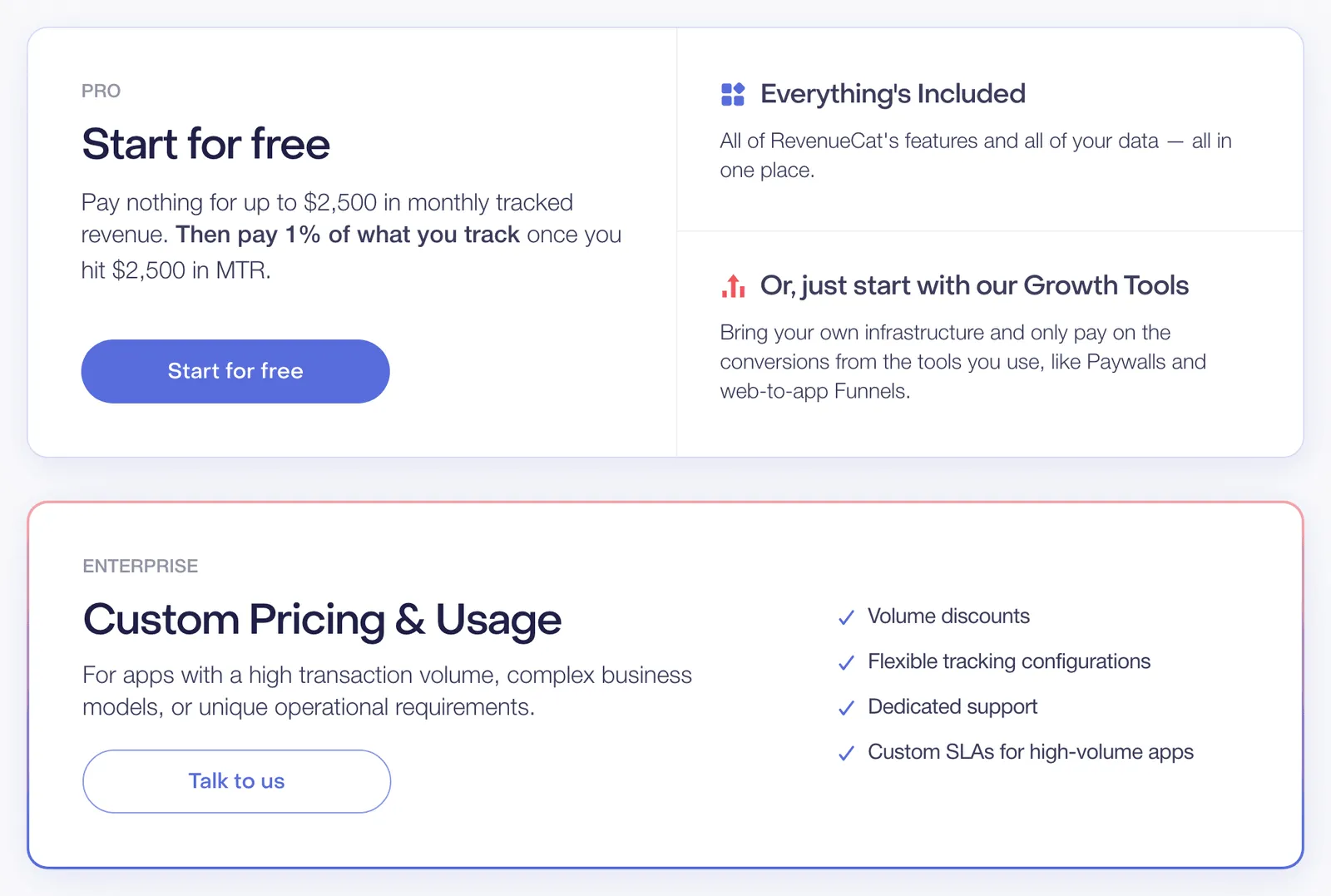
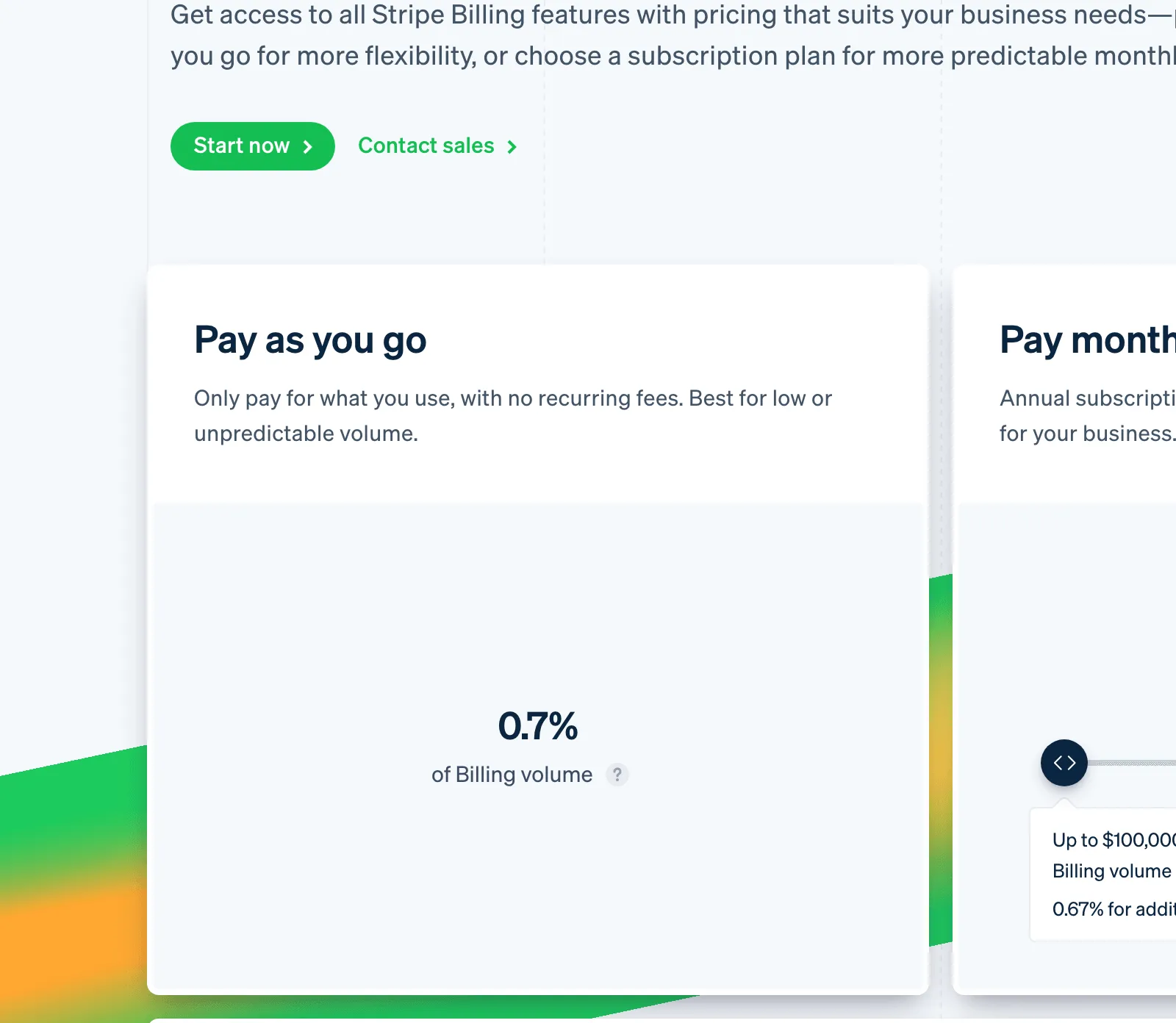
RevenueCat pricing page, captured 4 Oct 2026: Free to $2,500 monthly tracked revenue, then 1% of what you track. Source ↗ · Full page ↗Stripe pricing page, captured 4 Oct 2026: 2.9% + 30¢ per successful US card charge. Source ↗ · Full page ↗Stripe pricing page, captured 4 Oct 2026: 1.5% more for international cards. Source ↗ · Full page ↗Stripe page /billing/pricing, captured 4 Oct 2026: Stripe Billing costs 0.7% of volume. Source ↗ · Full page ↗
Subscription analytics
MRR, churn, trials and more across stores and the web
Billing analytics for Stripe subscriptions only
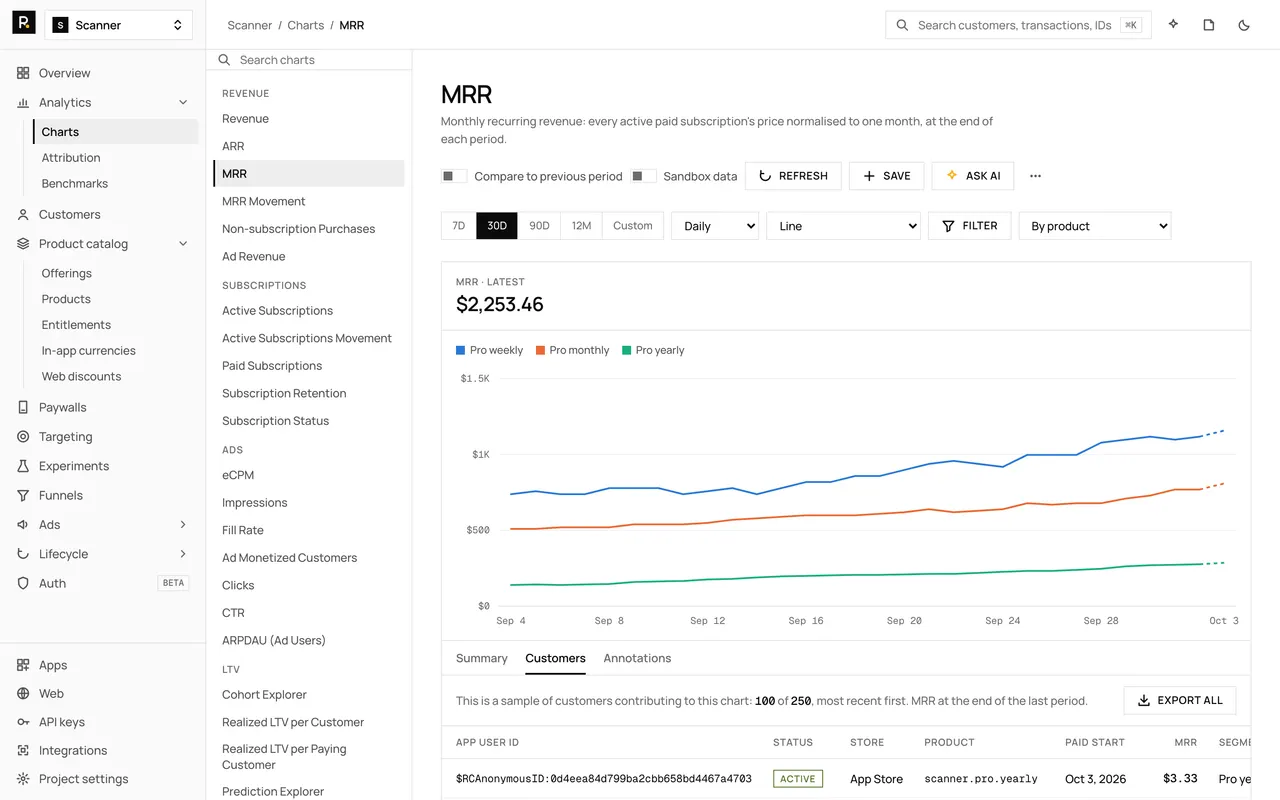
43 charts with filters, segments, 14 display currencies and CSV export, across stores and Stripe
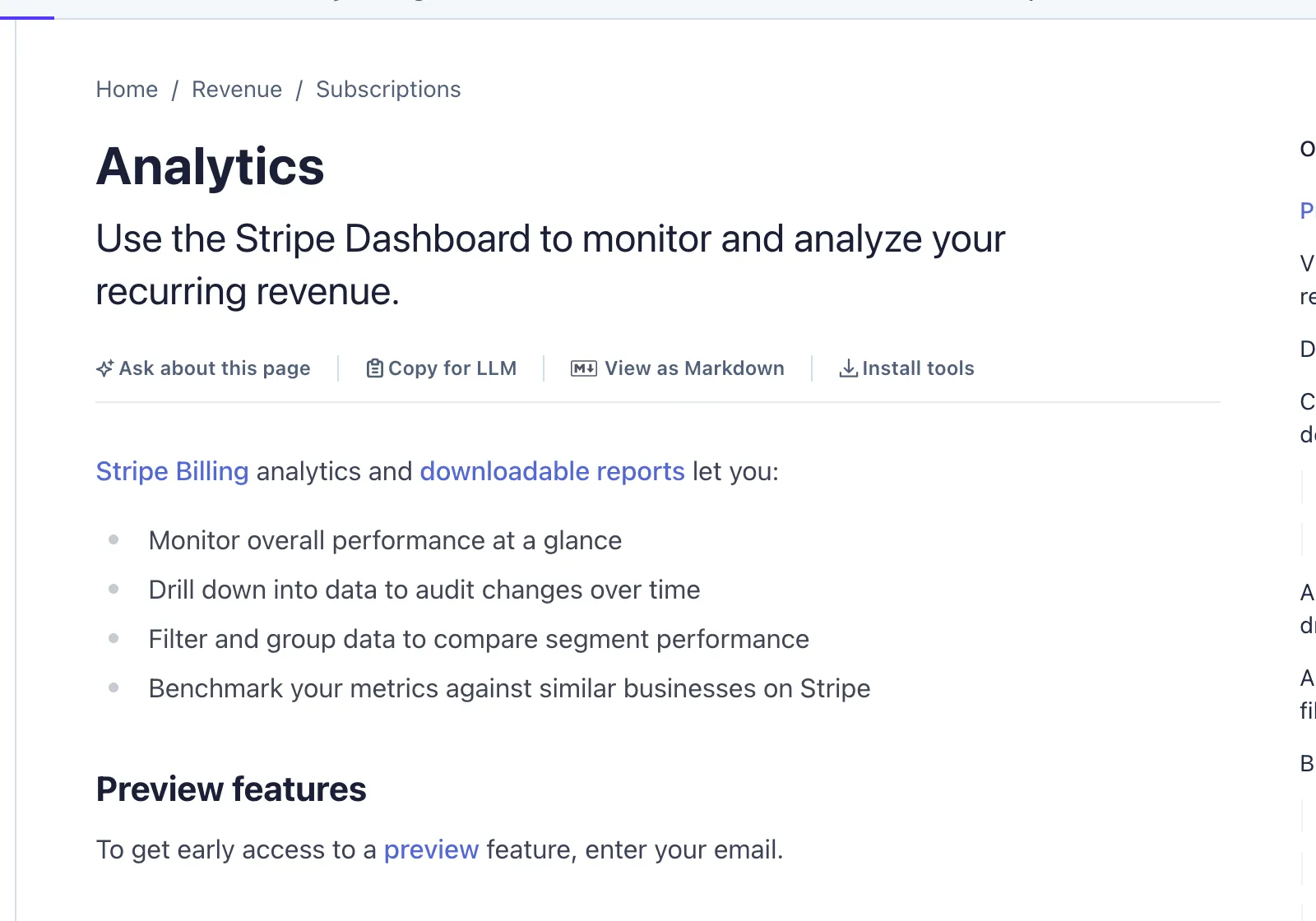
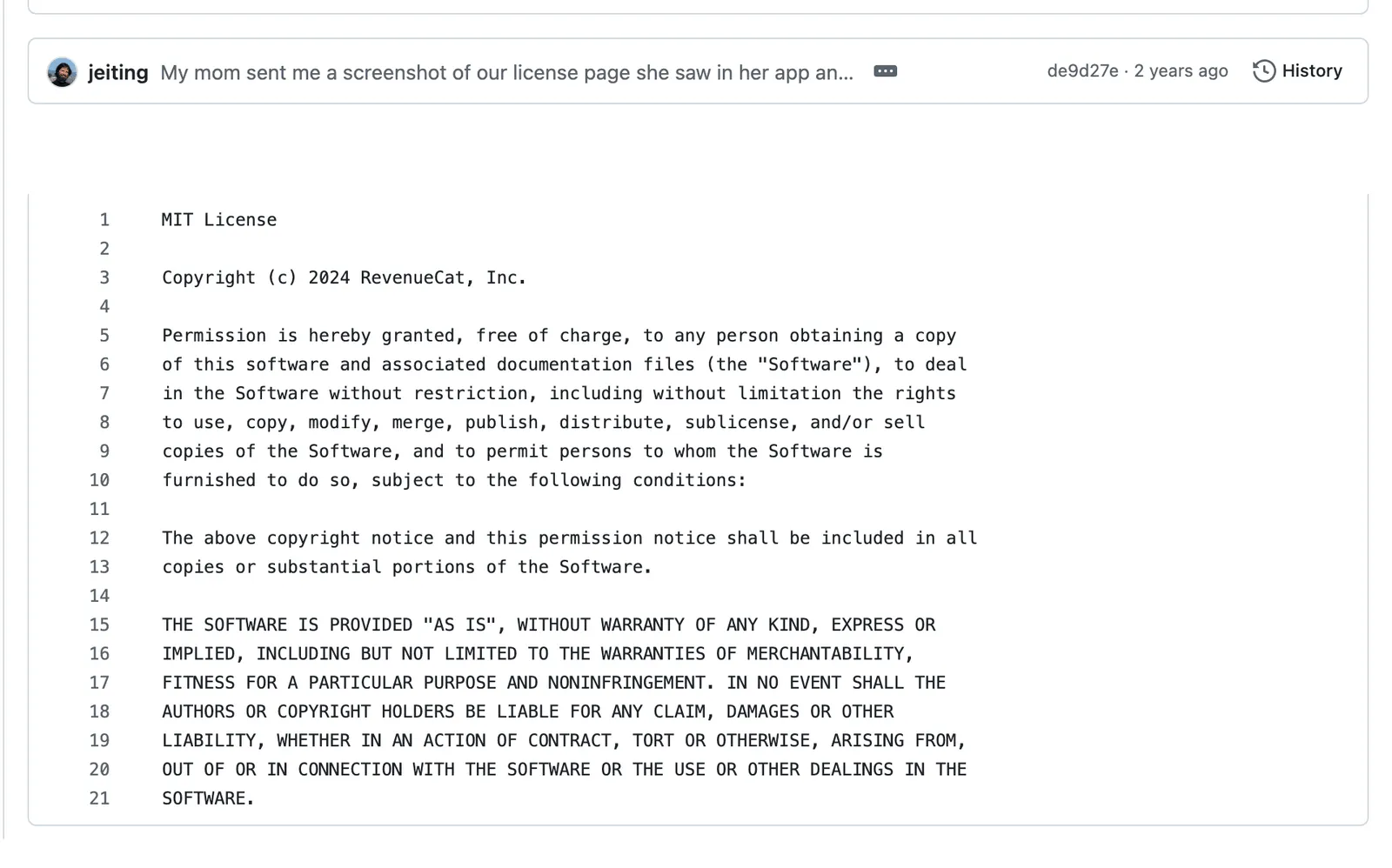
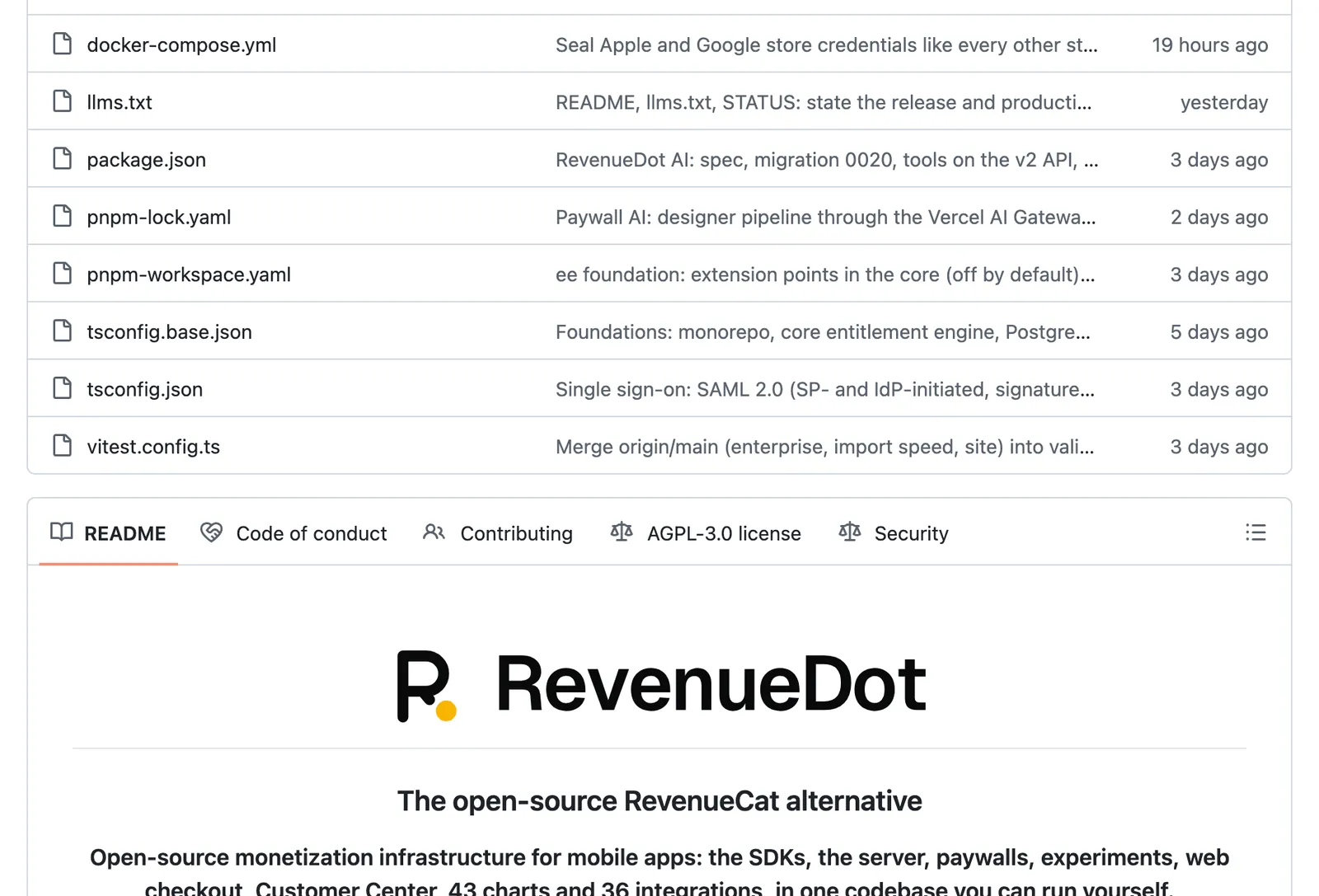
RevenueCat GitHub page, captured 4 Oct 2026: The iOS SDK is MIT licensed. Source ↗ · Full page ↗RevenueDot GitHub page, captured 4 Oct 2026: Server and dashboard under AGPL-3.0. Source ↗ · Full page ↗
Facts about other companies come from their public pages, checked October 2026; the screenshots under each row were captured on 4 October 2026 and link to the live page. Tell us about anything out of date at hello@revenuedot.app.
Price
What each costs per month
Each column is a separate fee. Store purchases pay Apple or Google, web sales pay Stripe, and RevenueCat or RevenueDot charges on top of either. The store column uses 15%, the rate for Apple's Small Business Program and Google Play subscriptions. The Stripe column assumes $9.99 monthly plans sold on the web: 2.9% + 30¢ per US card charge plus 0.7% for Stripe Billing. RevenueDot Cloud is free until your app makes $10,000 a month. Above that, Pro charges 0.5% of the revenue above $10,000, capped at $999 a month.
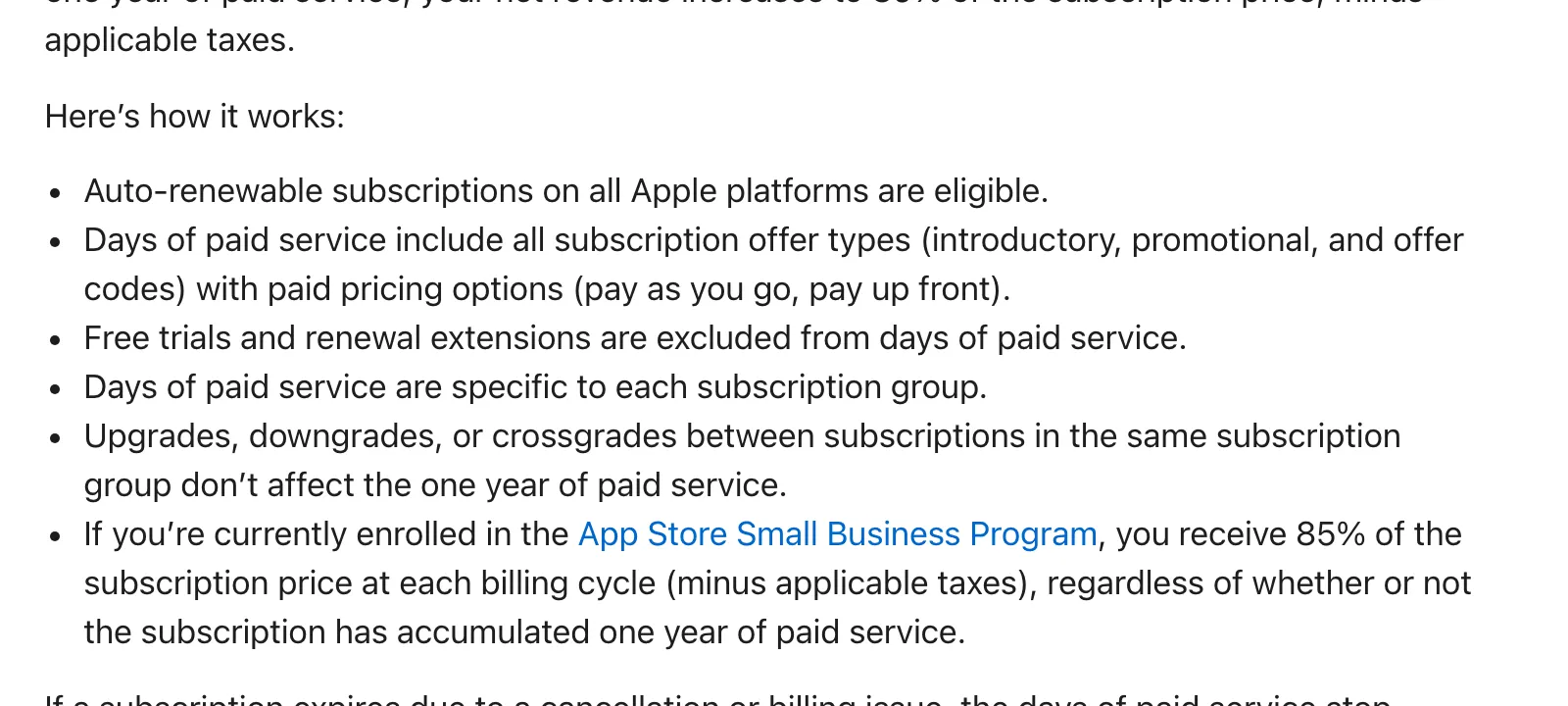
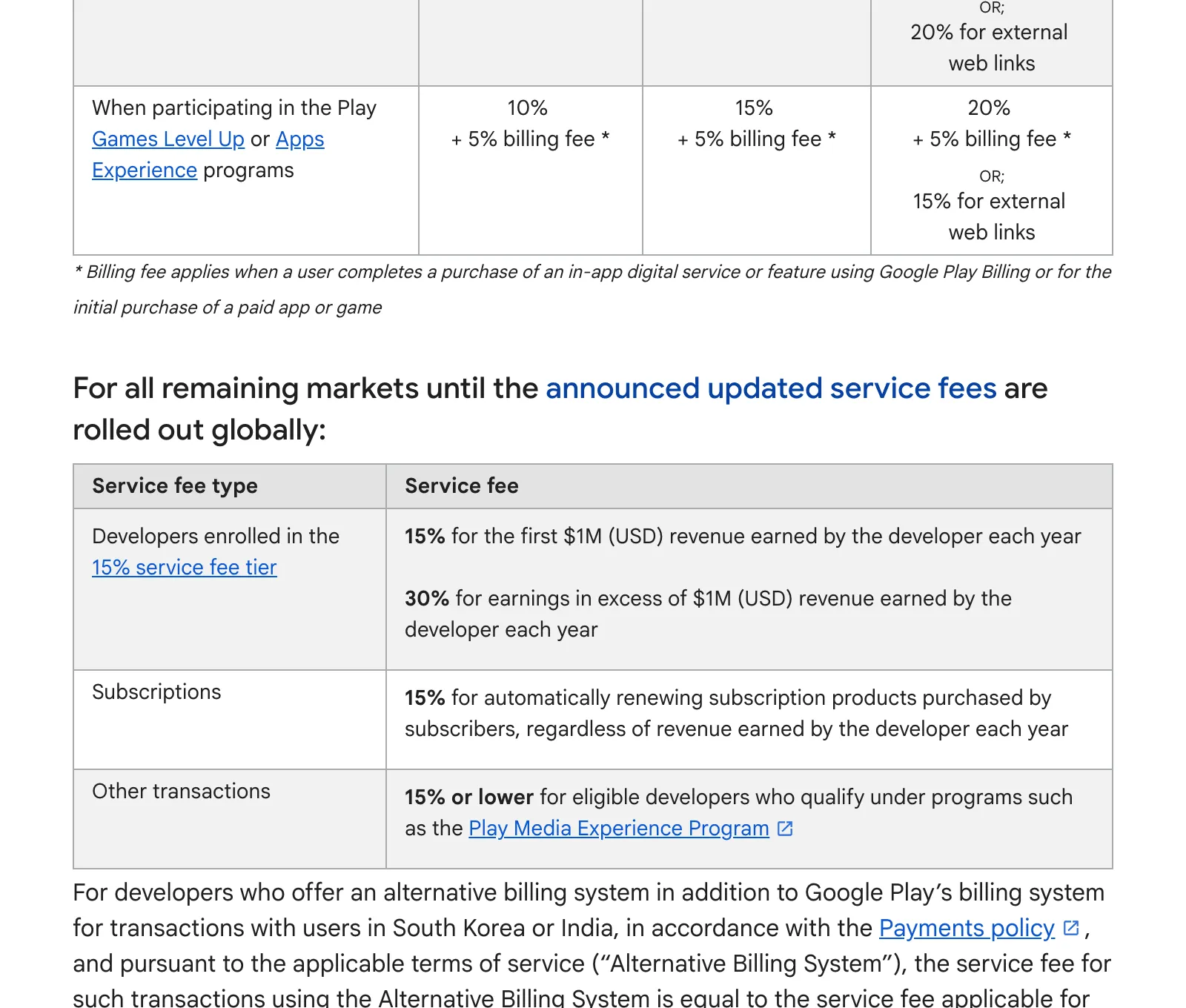
Apple page /app-store/subscriptions/, captured 4 Oct 2026: 85% (a 15% fee) under the Small Business Program. Source ↗ · Full page ↗Google page /googleplay/android-developer/answer/112622, captured 4 Oct 2026: Google Play charges 15% on subscriptions. Source ↗ · Full page ↗RevenueCat pricing page, captured 4 Oct 2026: Free to $2,500 monthly tracked revenue, then 1% of what you track. Source ↗ · Full page ↗Stripe pricing page, captured 4 Oct 2026: 2.9% + 30¢ per successful US card charge. Source ↗ · Full page ↗Stripe page /billing/pricing, captured 4 Oct 2026: Stripe Billing costs 0.7% of volume. Source ↗ · Full page ↗
See it
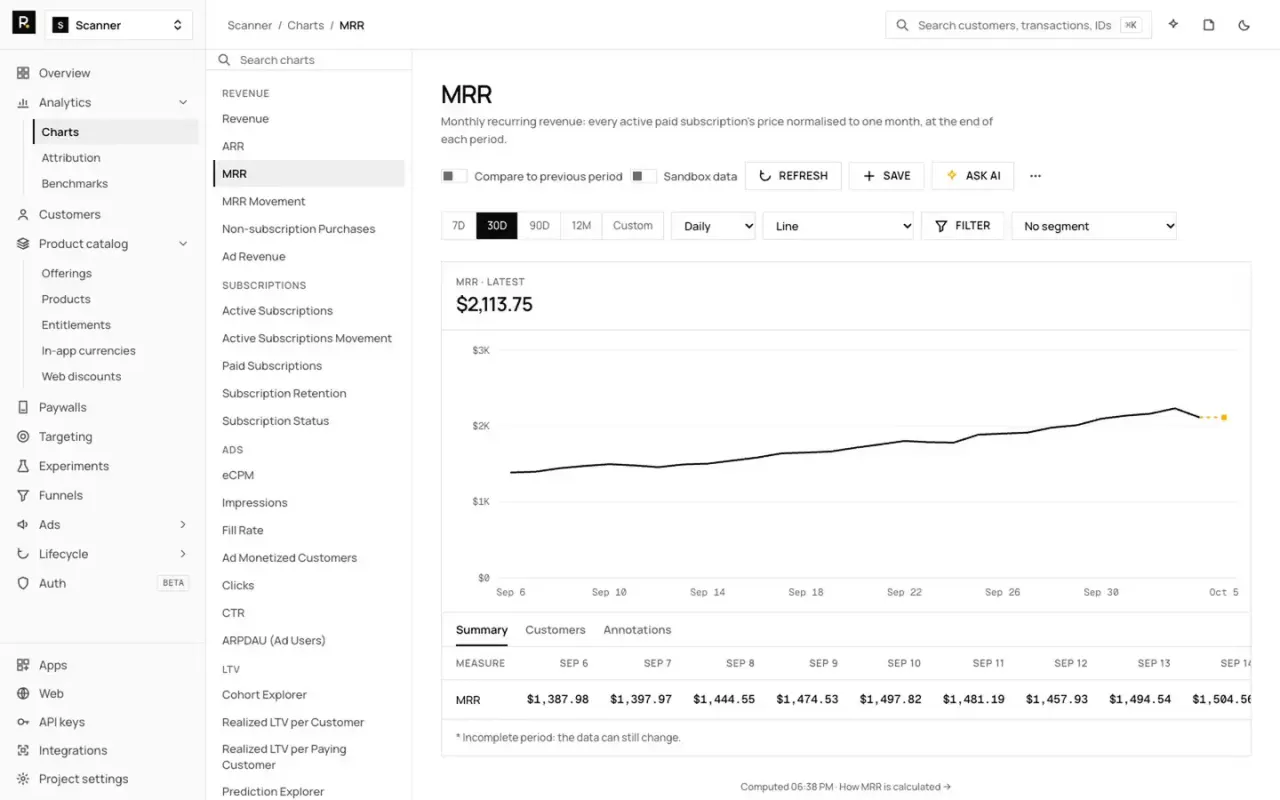
What the RevenueDot column looks like
Real captures of the dashboard with example data, not mockups. Every feature below is in the open-source server today.
14-second silent tour of the RevenueDot dashboard: Overview, MRR chart, paywall editor and experiment results.
RevenueDot: Web checkout and purchase links
Recorded from the real hosted purchase page with example products; silent.
When to use Stripe and when to use in-app purchase
Apple's App Review Guideline 3.1.1 says that to unlock features or functionality within your app, such as subscriptions or premium content, you must use in-app purchase. Physical goods and services used outside the app must use another method, such as Apple Pay or a card (Apple). Google Play's Payments policy requires Google Play's billing system for digital goods, with exceptions for physical goods and alternative billing programs in some countries.
In-app purchase. US storefront apps may also link to web checkout
Google Play Billing, with alternative programs in some countries
Stripe
Credits, coins or AI usage
In-app purchase
Google Play Billing
Stripe
Physical goods or services used outside the app
Apple Pay or a card, not in-app purchase
Your own payment processor
Stripe
Rules checked October 2026. They change by country and by court ruling, so read Apple's and Google's current policy before you ship.
Web to app
How a Stripe purchase unlocks access in the app
RevenueCat and RevenueDot both connect a Stripe purchase on your website to the app. The flow is the same in both.
01
The customer pays on the web
A link in the app, an ad or an email opens a checkout page that creates a Stripe Checkout Session on your Stripe account.
02
The backend records the purchase
Stripe's checkout.session.completed webhook reaches the backend, which records the purchase like any store purchase and sends your webhooks.
03
The purchase moves to the app user
If the link carried the app user ID, the purchase lands on that user. If not, a redemption link opens the app and moves the purchase to the signed-in customer.
04
The app sees the entitlement
The SDK's customer info shows the same pro entitlement that an App Store or Google Play purchase would unlock.
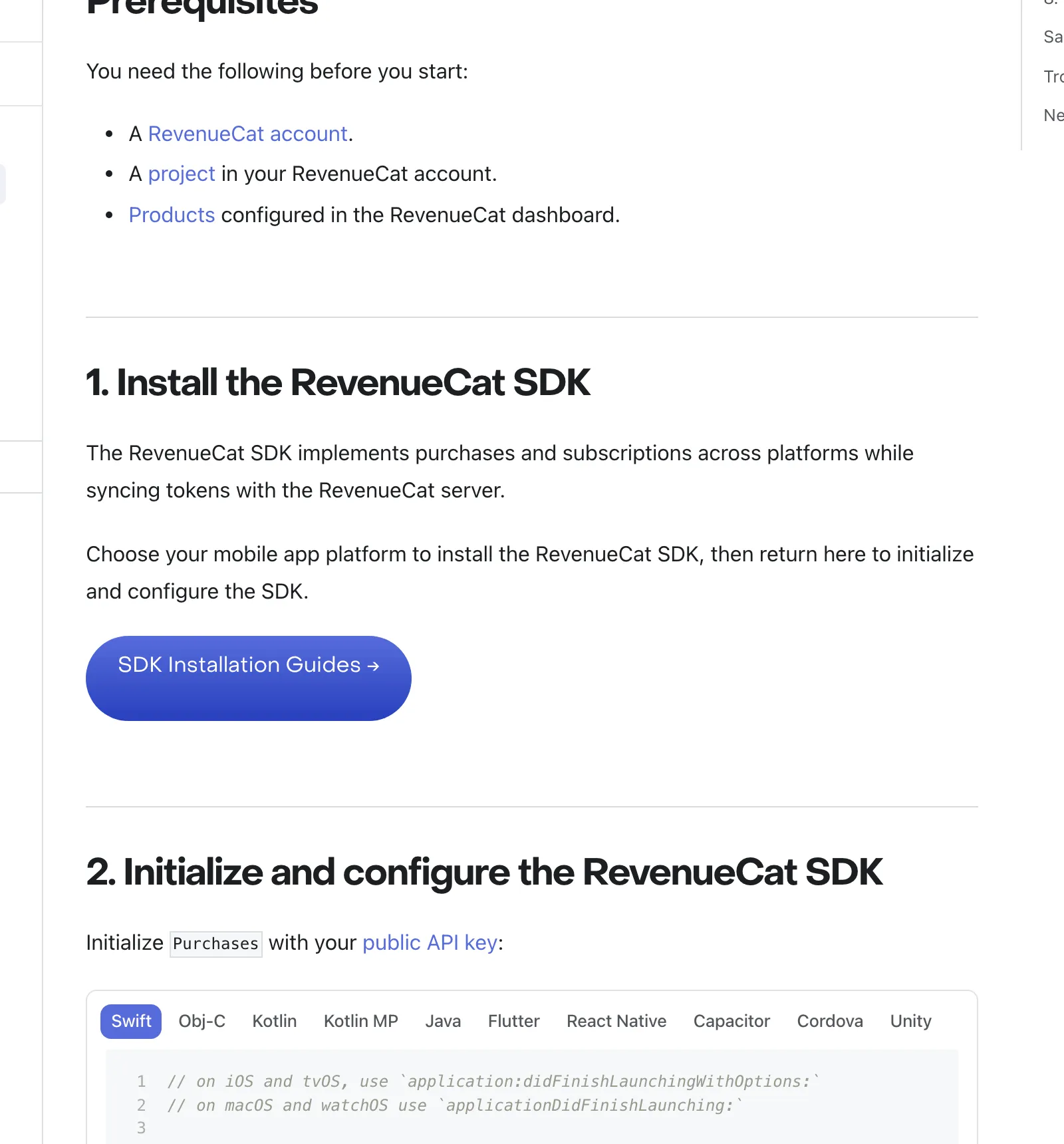
RevenueDot does RevenueCat's job with an open-source server: App Store, Google Play, Amazon Appstore and Stripe purchases in one customer record, with the RevenueCat SDK in your app. Web checkout runs on your own Stripe account with a restricted key, and purchase links, funnels and redemption links come included. Connect with Stripe (sign in to Stripe instead of pasting a key) is not available on RevenueDot Cloud yet.
An independent video on the same question. We did not make it and the opinions in it are the creator's.
How to understand Play's expanded billing options and lower fees by Android Developers (about 1.43M subscribers), June 2026. Not made by or for RevenueDot. Google's two-minute explainer of the 2026 Play billing options and fee cuts; the store commission is the base that a backend's 1% sits on top of.
FAQ
RevenueCat vs Stripe: questions people ask
Can I use Stripe instead of in-app purchases in my iOS app?
Not for features unlocked inside the app. Apple's guideline 3.1.1 requires in-app purchase for that. On the US storefront you may link from the app to a web checkout that uses Stripe. Physical goods and services must use a method other than in-app purchase, such as Stripe.
Does RevenueCat work with Stripe?
Yes. RevenueCat can use your Stripe account as its web billing engine, import Stripe Billing purchases and unlock entitlements in the app for them. Its own RevenueCat Billing also uses Stripe as the payment gateway. RevenueCat says its web features add no RevenueCat fee beyond its normal price.
Is RevenueCat cheaper than Stripe?
They charge for different things. Stripe takes 2.9% + 30¢ per US card charge on web sales. RevenueCat charges 1% of all tracked revenue from $2,500 a month, on top of the store's or Stripe's fee. An app that sells on the web through RevenueCat pays both.
Do I need RevenueCat if I already use Stripe for my web app?
Only if you add an iOS or Android app that sells digital features. Those sales go through the stores' in-app purchase, and a backend such as RevenueCat or RevenueDot joins them with your Stripe customers so one account has one set of access.
Can RevenueDot sell subscriptions with Stripe?
Yes. RevenueDot connects to your own Stripe account with a restricted key and offers hosted checkout, purchase links, funnels, web discounts and redemption links. A Stripe purchase unlocks the same entitlement as an App Store or Google Play purchase.
RevenueDot is not affiliated with, endorsed by or sponsored by any company named on this page. Names are trademarks of their owners, used only to compare products. Screenshots of other companies' pages are shown as evidence for the facts quoted, with their capture date and a link to the live page.
Switch from RevenueCat without losing a subscriber.
Start for free on RevenueDot Cloud, import your RevenueCat project with one command, and change one line in your app. Pro costs $0 until your apps make $10,000 a month.